OVERVIEW
A Critical Tool with a Workaround Problem
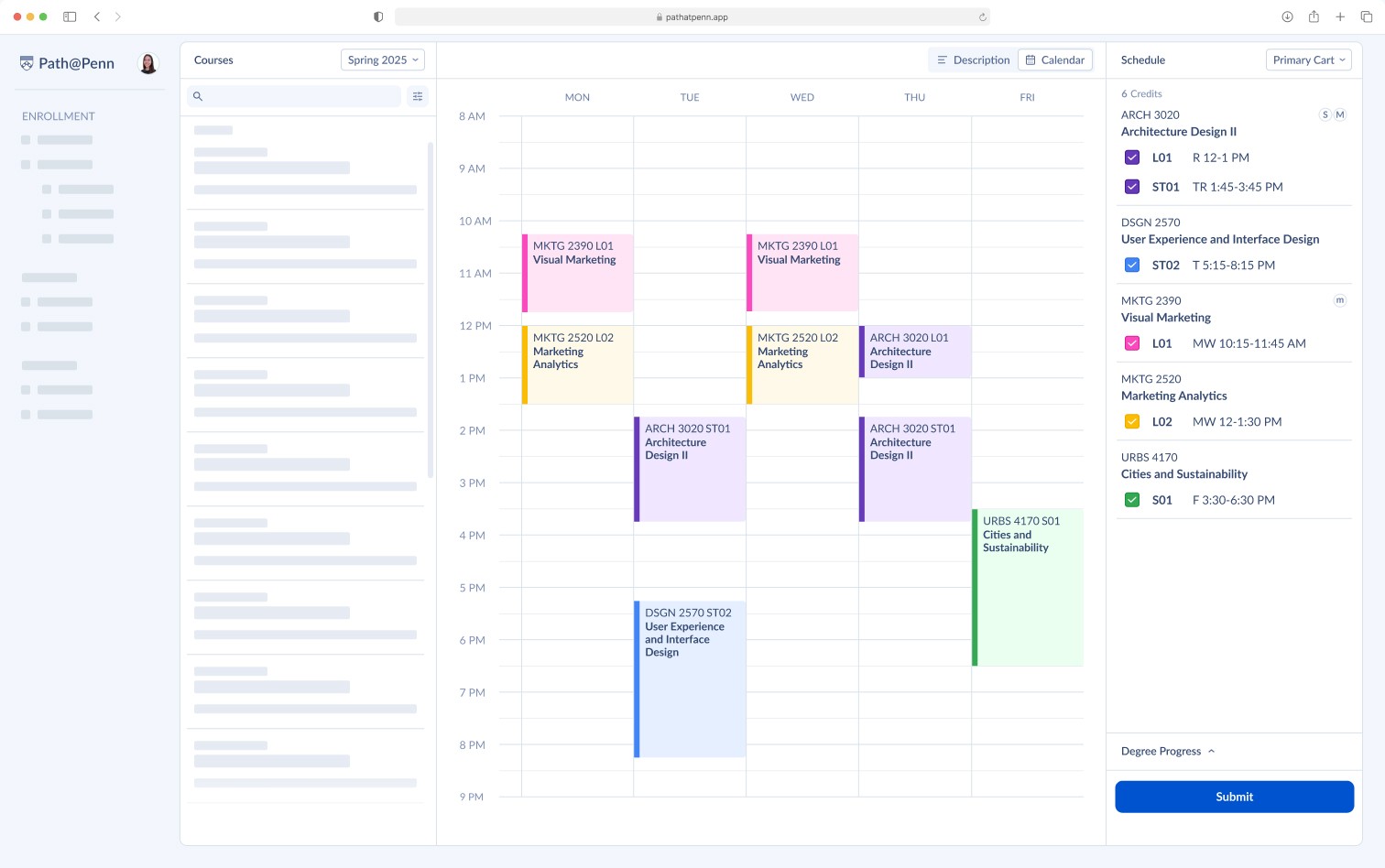
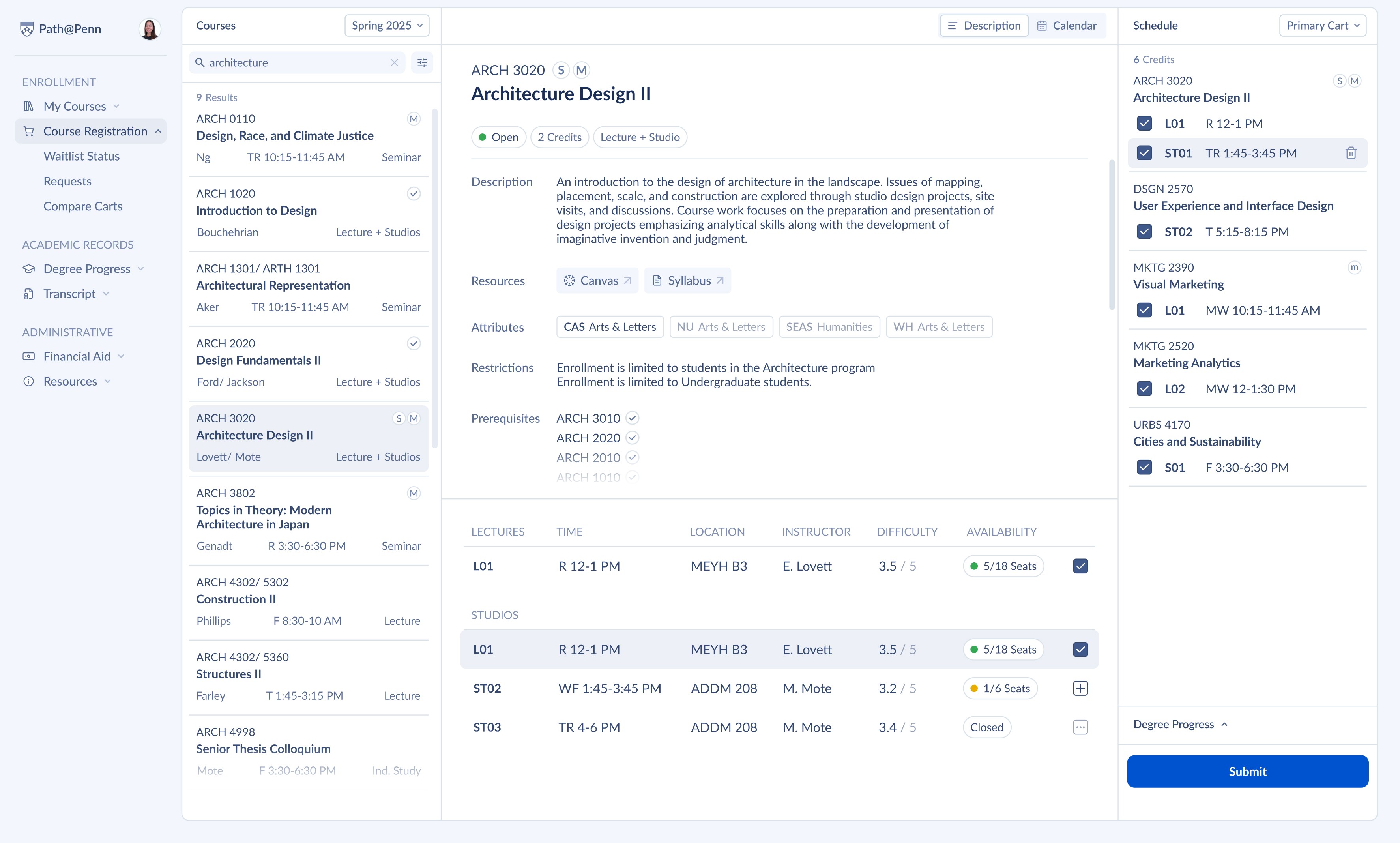
Path@Penn is the University of Pennsylvania’s primary academic planning platform used by over 23,000 students. The system supports course discovery, registration, and degree planning.
Despite its critical role, students often rely on external tools like Penn Course Review, Penn Course Plan, and spreadsheets to plan their schedules.
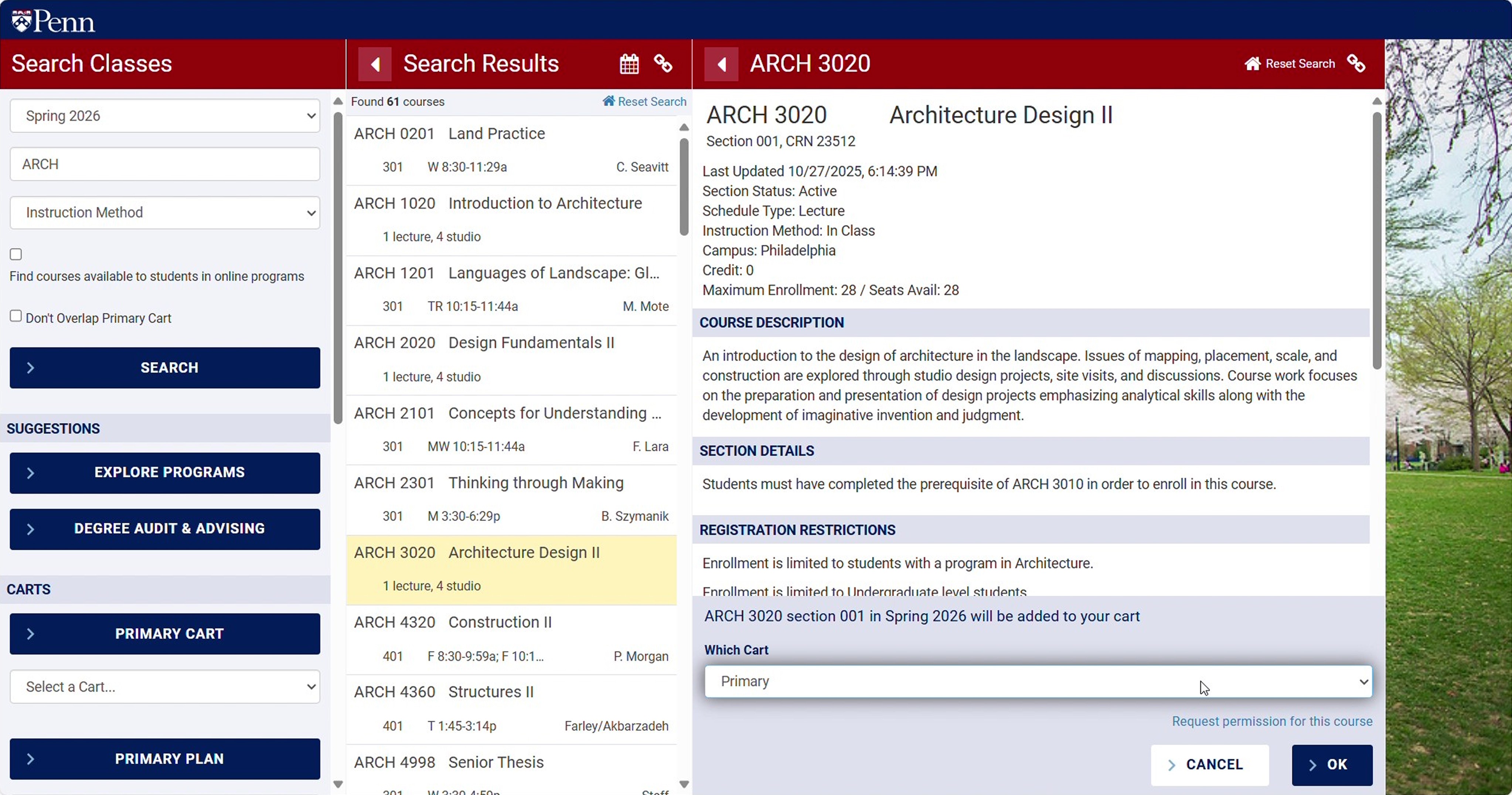
BEFORE
AFTER
PROBLEM
Path@Penn Causes Students to Search for Alternative Course Planning Platforms
The course information provided is not enough to make decisions. Students need difficulty ratings and information about impact on graduation progress.
Every student interviewed had built an identical workaround using Penn Course Review, Penn Course Plan, and a personal spreadsheet.
SOLUTIONS
Prioritizing Student Needs
Search with Quick Filters
Quickly add a course to cart with a check of a box.
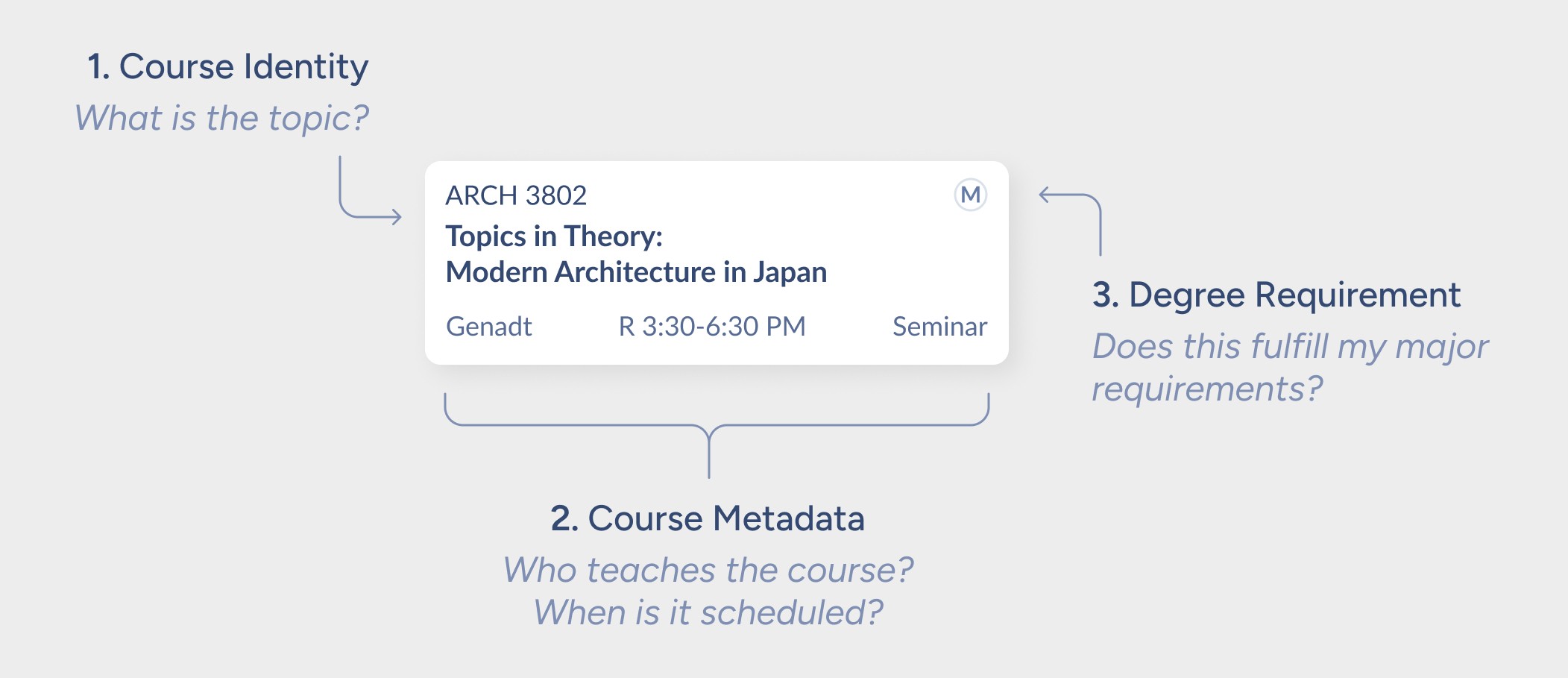
Annotated Course Search Result
Add Course to Cart
Quickly add a course to cart with a check of a box.
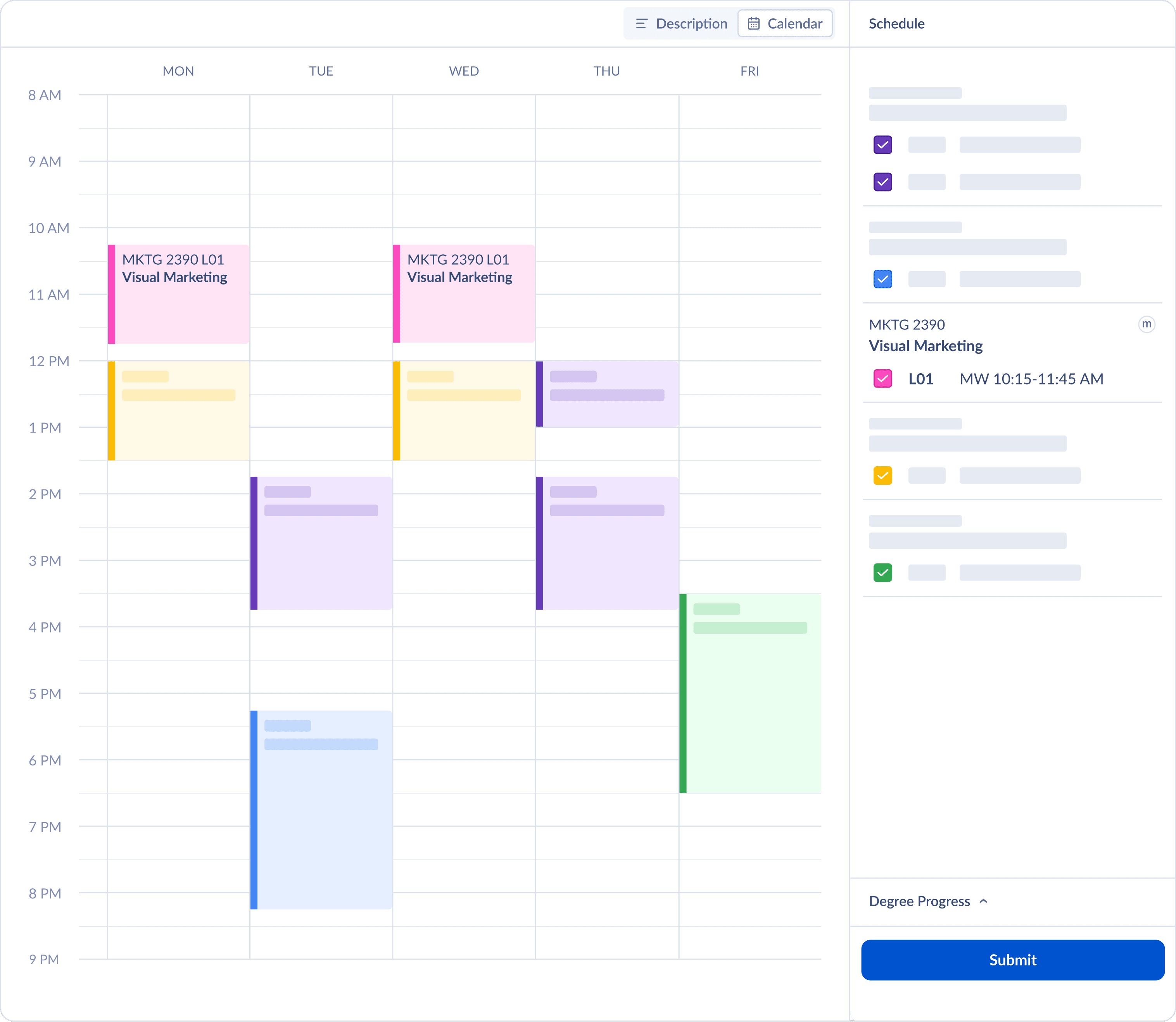
Color-Coordinated Calendar
Remove Course from Cart
Real-time conflict detection flags overlaps before submission. Integrated dual confirmation systems ensure confirmation before completing destructive action.
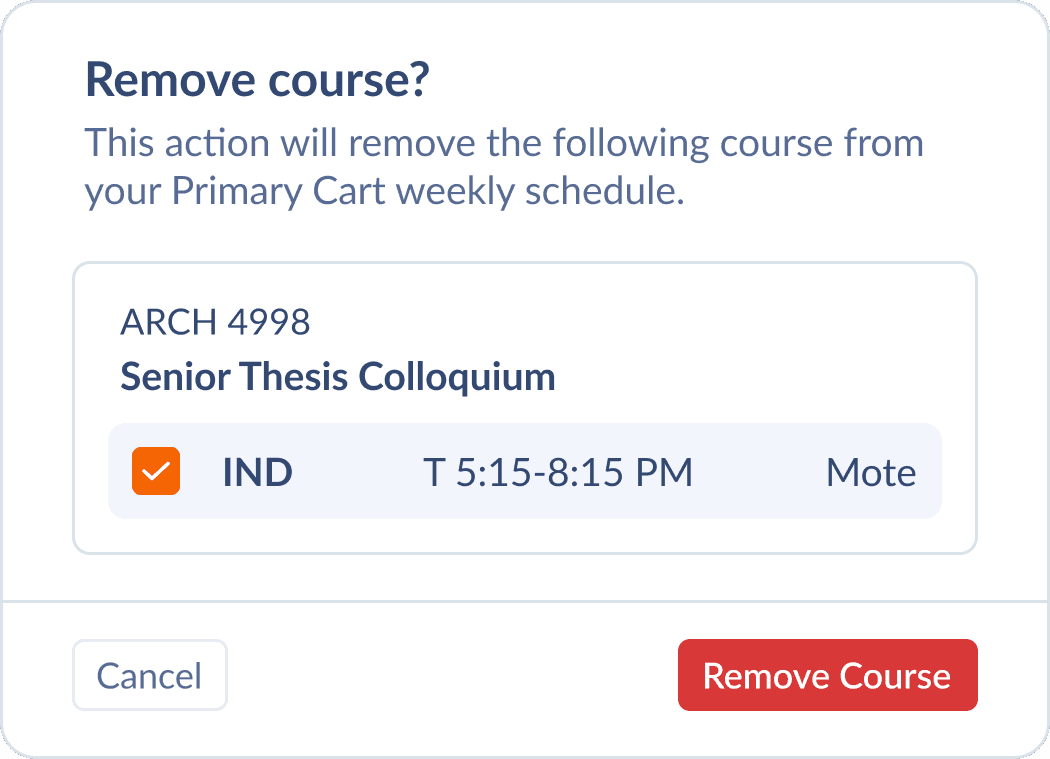
Dual Confirmation Pop-Up
Move Cart to Alternate Cart
Real-time conflict detection flags overlaps before submission.
Systems confirm destructive action.

Right-Click Context Menu
RESEARCH
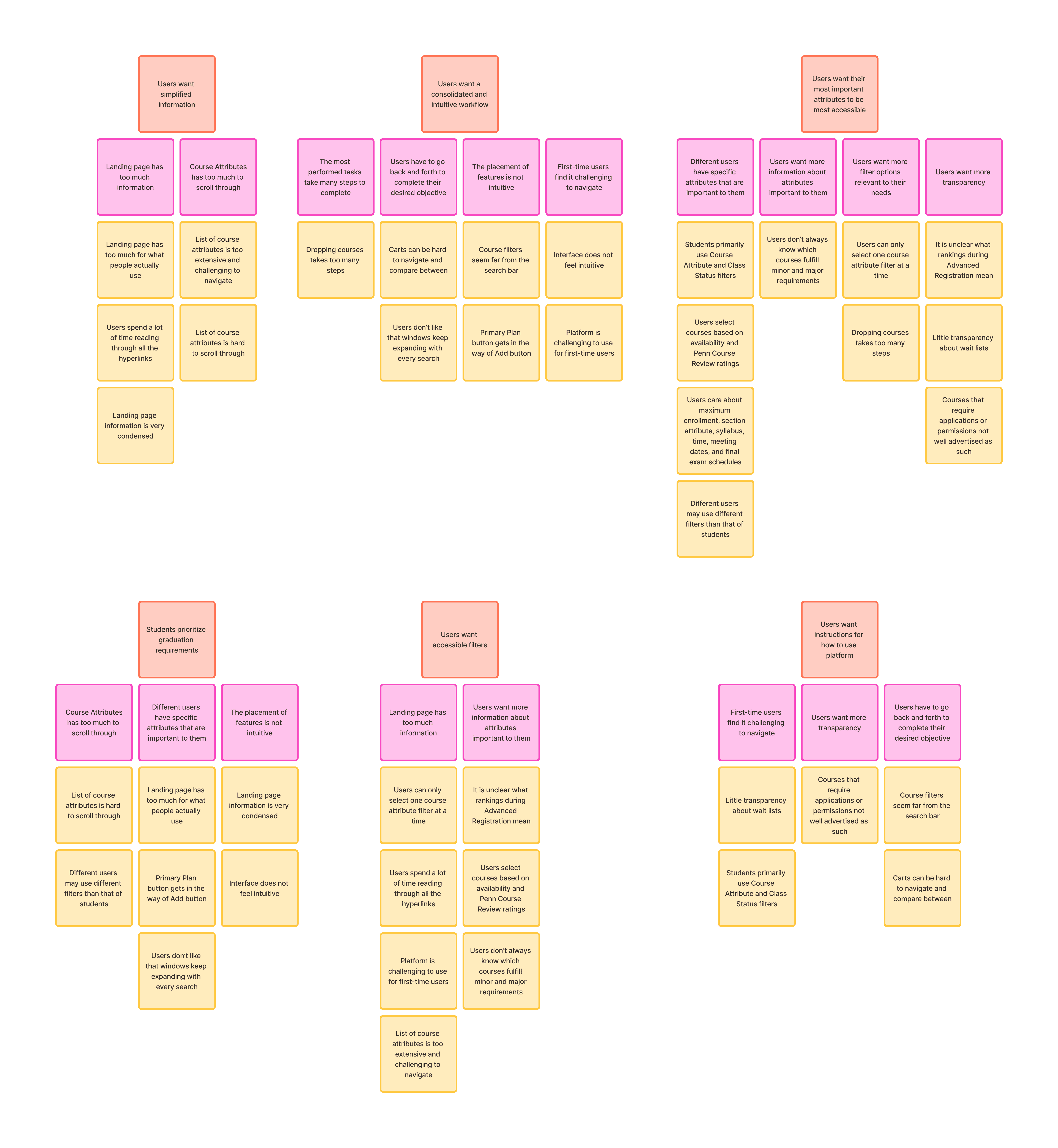
Speaking Directly to Students to Understand Registration Priorities
I met directly with students to understand how they approach course registration, which course attributes are most important, and how they evaluate between options, and pain points.

Focus Group Meeting (Zoom)
Students Prioritize Graduation Requirements
"I prioritize classes that fulfill graduation requirements, but it is not always clear what fulfills minors and majors or what double counts."
Current Interactions Cause Friction
"Everytime you do an action, the interface opens a new window horizontally. This is fine but it makes it hard to go back and it causes a lot of scrolling"
Error Prevention
"I saw open spots for Grit Lab, but didn't realize I had to apply. There was a waitlist of 80 people. If you don't know about the application process via word of mouth, you never find out."
Course Selection Decision Factors
Students don't choose courses randomly. Rather, they have a consistent mental hierarchy that prioritizes meeting graduation requirements.
Graduation Progress & Course Attributes
Does this course have attributes that fulfill major or minor requirements?
Availability
Is this course open? How competitive is it to get a spot in the class?
Eligibility
Have I completed the proper prerequisites? Is there a separate application form?
Fits in Schedule
Does this course fit in my schedule without overlap?
Course Quality
Do my peers recommend it? Which instructor is the best?
REFLECTION
This was the project I learned how to design for interfaces
This was the first project where I designed a complex multi-state interface from scratch.
Importance of Design Systems
Building a component library before designing screens forced decisions about consistency early.
I had to learn the hard way that using components and variables is a much more efficient way to iterate on solutions.
Color to Draw Attention
Early versions used color decoratively. User feedback clarified that color needs to do work.I had to learn the hard way
In this case, it could be utilized to signal enrollment status and alerts.
Less is More
The existing Path@Penn interface exposes every feature simultaneously.
This redesign surfaces what students prioritize throughout course selection first.
MORE PROJECTS
If you made it this far, check out more projects :)